
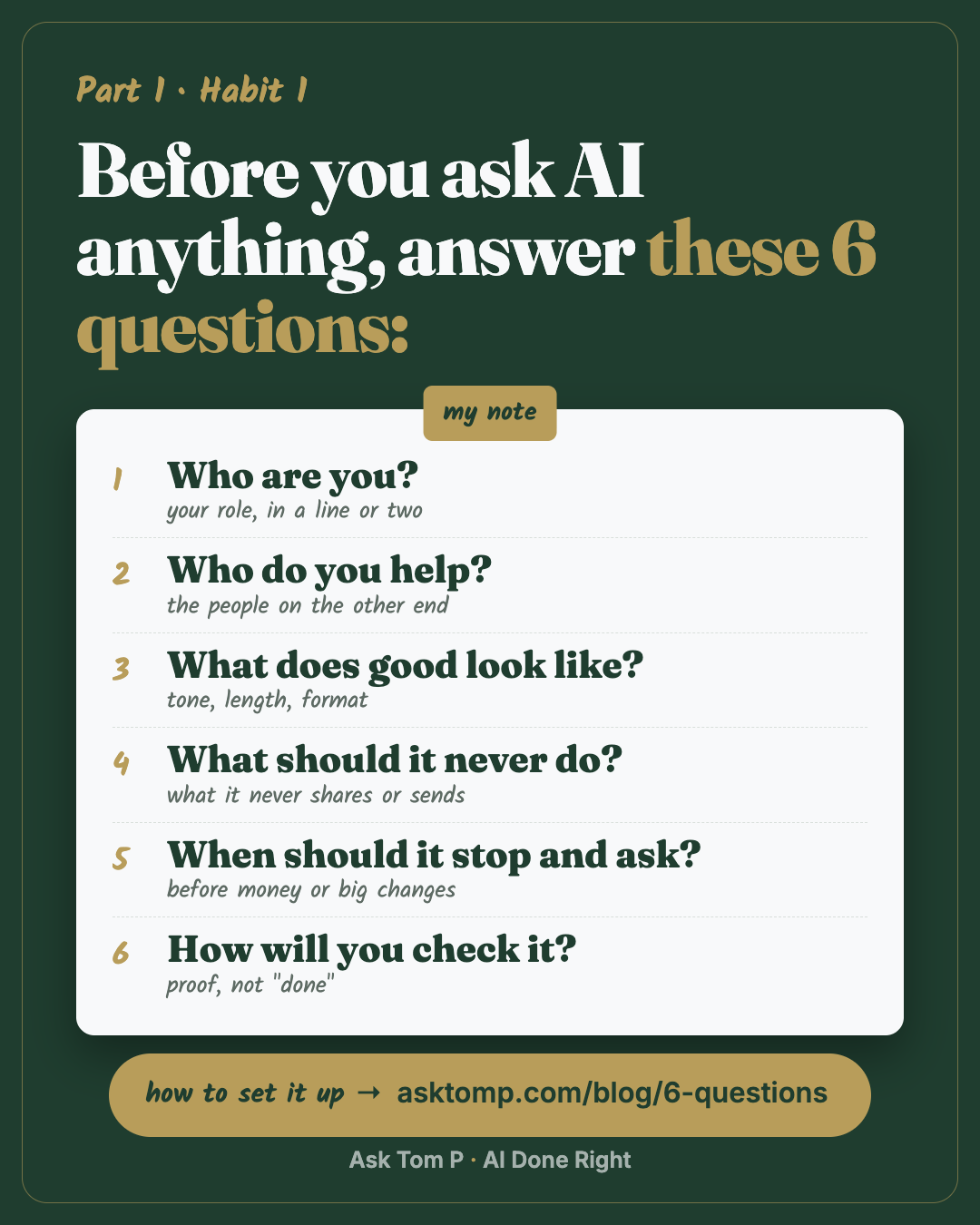
Save this one. It works the same in ChatGPT, Gemini, Copilot or Claude.
Why every chat starts from zero
Most people ask AI for answers before they tell it anything about themselves.
So every chat starts from zero. You explain who you are again. You fix the tone again. You get an answer that sounds like it was written for nobody, and you spend the time you saved rewriting it.
AI gives you 10x the speed. Skip the foundation, and you get 10x the mess.
I co-run a renovation company from about 370 miles away. A business like that lives on handoffs: to my team, to clients, to the crews. When I started using AI for real work, the speed was obvious. What wasn't obvious was that speed with no direction just makes more to clean up. These days, before I ask my AI for anything, it already knows who I am, who I work for, and the rules it doesn't break.
That's this habit. Answer six questions once, and save the answers where your AI reads them every time.
What a note changes
Here's the same ask, with and without a note.
The ask: "Reply to a customer asking why their job is a week late."
Without a note:
example
Dear Valued Customer, I sincerely apologize for any inconvenience this delay may have caused. We truly value your business and are committed to providing exceptional service...
You know that email. Nobody talks like that, and the customer still doesn't know when you'll be back.
With my note:
example
Hi Taylor, you're right, we're a week behind. The cabinets shipped late. They land Tuesday and we're back on site Wednesday. I'll text you when they're in.
Want me to send this, or change anything first?
Same tool. Same ask. The difference is the note: plain words, the facts first, and it stops and asks before anything goes out.
The 6 questions
Here's each question, what it's really asking, and the line I use. Steal the shape, not my words.
1. Who are you?
Your role and your work, in one or two lines. This is what lets the AI pick the right level and the right examples.
Mine: "I'm Tom. I co-run a renovation company from 370 miles away. I'm not a developer."
That last part matters more than it looks. It tells the AI to skip the jargon and show me, not lecture me.
2. Who do you help?
The people your work is for. Customers, a team, a boss, students. When the AI knows who's on the other end, it writes for them.
Mine: homeowners getting a house ready, and the team of eight who run the jobs.
3. What does good look like?
Your tone, your length, your format. If you don't say it, you get the AI's default: long, polite and vague.
Mine: "Plain words, smart-colleague tone. No jargon, or explain it in one line. Keep it short: what happened, why it matters, one question for me."
4. What should it never do?
The lines it doesn't cross. What it never shares, never guesses, never sends.
Mine: "Never send, post or publish anything without my yes. Use test data, never real client names or money."
The first rule is the one I'd keep if I could only keep one. Nothing has gone wrong with it, and that's the point. It's there so nothing does.
5. When should it stop and ask?
Before money, before big changes, before anything that leaves your desk. Most bad AI moments come from it guessing when it should have asked.
Mine: "Outline and check with me before anything big. Skip that for small asks. One decision at a time."
"One decision at a time" saves me more than you'd think. A wall of five questions is easy to skim and answer badly.
This rule has a date on it. I once typed "can you just get this pushed for now?" and the AI read it as permission to make a live change. It was not. Now anything that leaves my desk waits for my actual yes, however my words read.
6. How will you check it?
The proof you want before you trust it. A screenshot, a count, a link, a source. "Done" is not proof.
Mine: "Show me proof, not 'done': a screenshot, a count, a link."
That rule comes from six broken estimates in one week. A step got skipped, the report said done, and the paper went out wrong. Now it reads the records back before it tells me it's done.
Here's my real note
This is my starting note, the one I began with and the one I'd hand you today. Mine has grown since: it points to my projects, my build work and the files I call my brain. I'll show that version in the weeks ahead. Start with the short one.
This is the note my AI reads before every chat, trimmed so it fits here. The full one is longer, but this part does most of the work.
I'm Tom. I co-run a renovation company from 370 miles away. I'm not a developer.
- Plain words, smart-colleague tone. No jargon, or explain it in one line.
- Keep it short: what happened, why it matters, one question for me.
- One decision at a time.
- Outline and check with me before anything big. Skip that for small asks.
- Never send, post or publish anything without my yes.
- Use test data, never real client names or money.
- Show me proof, not "done": a screenshot, a count, a link.
- All times in Eastern.
About 100 words. Yours can be shorter. It just has to answer the six questions.
The last line is there because the tools that schedule things talk in UTC, and I don't.
Set it up in your tool (Beginner, 10 minutes)
1. Let it interview you. You don't have to write this alone. Your AI is good at asking questions.
Paste this:
Interview me one question at a time so you can write my standing instructions. Ask about: who I am and what I do, who I help, what good looks like (tone, length, format), what you should never do or share, when you should stop and ask me first, and how I want you to check your work. When we're done, write it as one short note under 150 words that I can save.
Answer like you'd answer a new hire. Short is fine.
2. Save the note where it will be remembered.
- ChatGPT: Settings, Personalization, Custom instructions (on the phone: Settings, Customize ChatGPT)
- Gemini: Settings & help, Personal context, Add
- Copilot at work: Settings and more, Chat settings, Personalization, Custom instructions
- Copilot (free app): no instructions box yet. Start a chat with "Remember this:" and paste your note.
- Claude: Settings, Instructions for Claude (or a Project's instructions)
3. Test it.
Paste this:
In three lines, tell me how I want you to work.
If it gets something wrong, fix the note, not the chat. A fix in the chat disappears when the chat ends. A fix in the note sticks.
A good answer names your tone, your never rule and your check rule, in its own words. If it recites something you didn't write, fix the note.
Check what it remembers (Intermediate, 15 minutes)
1. Check the privacy switch. Find the setting that decides whether your chats help train the model, and choose on purpose.
- ChatGPT: Settings, Data controls, Improve the model for everyone
- Gemini: Settings & help, Activity, Keep Activity
- Claude: Settings, Privacy, Help improve our AI models
- Copilot at work: your company's data is not used to train the models
At work, your company may decide this for you. Ask before you put work files in.
2. See what it already remembers about you. Most AI tools now keep a memory of past chats on top of your note. It's worth a look.
Paste this:
List everything you remember about me. Mark anything that looks wrong or out of date.
Then fix or delete those items in the app's memory settings.
One foundation per part of your work (Advanced, 20 minutes)
1. Split it by job. One note can't fit everything. If you run sales and operations, or work two roles, give each its own.
Paste this:
Using my standing instructions, write a version just for [my sales work / my operations work / my team]. Keep my never and stop-and-ask rules exactly as they are.
Save each one as its own Project (Claude and ChatGPT call them Projects, Gemini calls them Gems; in the free Copilot app, a separate chat with "Remember this:" does the job), so each kind of work keeps its own rules and files.
2. Add one line that saves you later.
Paste this:
If you're not sure, say so and ask me. Don't guess.
Common mistakes
Fixing the chat, not the note. You correct the tone in one chat, and next week it's back. Put the fix in the note.
Writing a novel. A two-page note buries the rules that matter. Six short answers beat a long essay.
No "never" rule. Without one, the AI fills gaps with its best guess. Tell it what it must not do, and when to stop and ask.
Questions people ask
What are custom instructions?
Does this work in ChatGPT, Gemini, Copilot and Claude?
How long should my instructions be?
Is it safe to tell AI about my work?
How often should I update it?
Any tool
This works the same in ChatGPT, Gemini, Copilot or Claude. Only the menu names differ.
Menu paths checked against each company's help pages on Oct 23, 2026. They change; if yours looks different, search the app's help for "custom instructions."
Next habit
Ten minutes a day. You don't need to keep up with every AI release. You need one small habit you'll actually keep.
It's a marathon, not a sprint. One step today.