
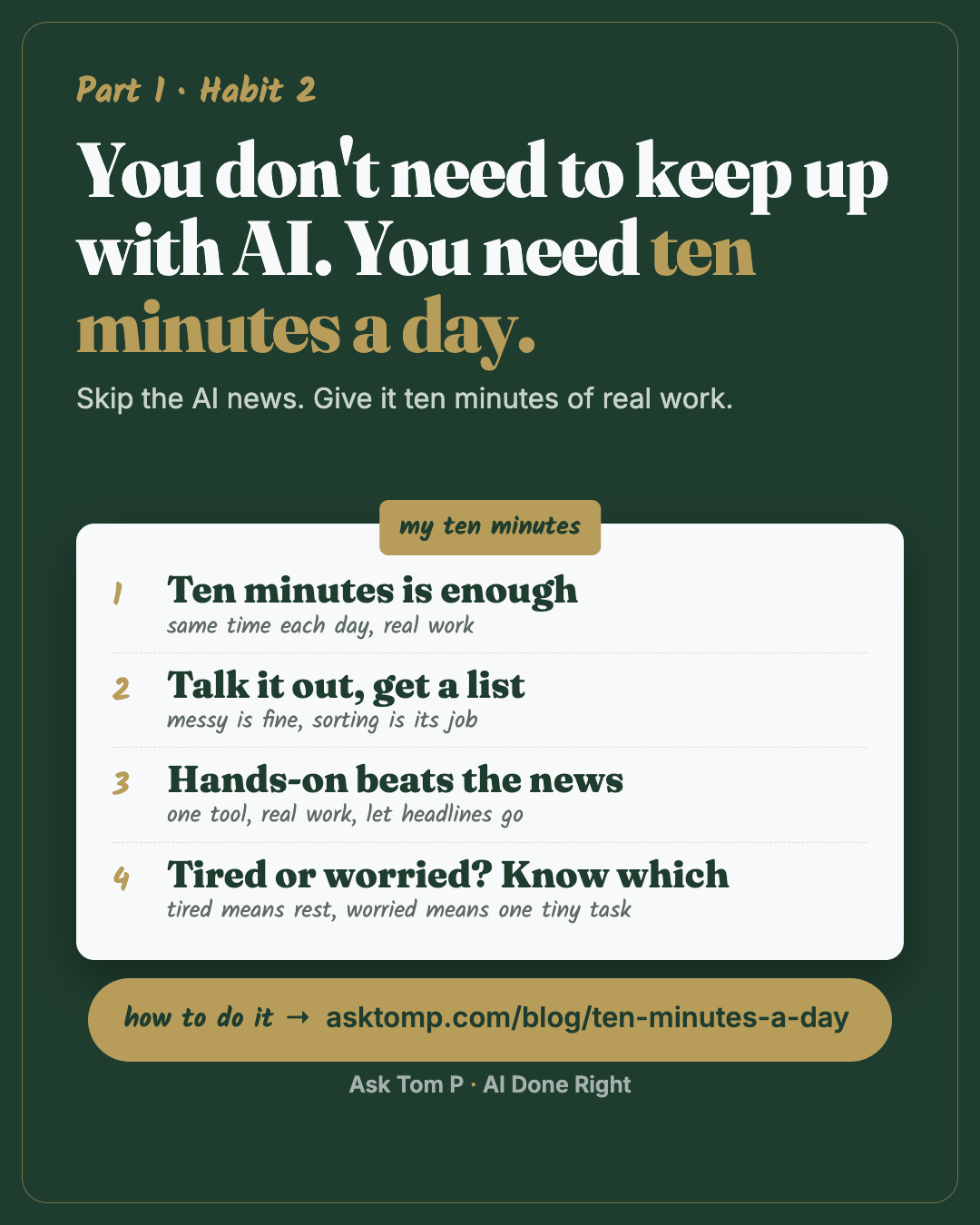
Save this one. It works the same in ChatGPT, Gemini, Copilot or Claude.
Why ten minutes beats keeping up
There's a new AI tool every week. If you try to keep up, you get tired fast, and you're still no better at your own work.
I've felt it. For me it's the newsletters coming in through the day, or any time I log in on LinkedIn. Somebody is always further ahead, and the feed is built to make you feel that way. I had to get honest with myself about it: those feeds are designed to pull me in. So I stay aware, I don't compare myself to the influencers and the noise, and I don't put pressure on myself to chase every model or every release. I keep growing a little each week, and I get better with the tools and the processes I already have.
That's the whole habit. Ten minutes on a normal day, on something real.
I co-run a renovation company from about 370 miles away, and a team of eight runs the jobs. My ten minutes happen with my first coffee, before the team's day starts. One ask: read my day and tell me what to do first.
The first morning I ran it properly, I sat with the chat for 15 to 20 minutes and it read my email, my team chats and my system, then drafted messages, set up a calendar invite, pulled the files I needed and built a short deck. All in one chat. I'd bet that's most people's first half of a day.
You don't need any of my setup to start. You need a microphone and one question.
What ten minutes looks like
Here's the same morning, with and without the habit. Test data only.
Before: a head full of loose ends, typed into nothing.
example
Okay so the tile delivery for test job 9801 might be late, I need to call about that. The owner on 9802 wants to change the vanity again. I owe the office the change order. Did anyone order the permit for 9803? Also I want to update the checklist for final walkthroughs, and I keep forgetting to look at last week's invoices.
Six things, no order, and the one that matters most is buried in the middle.
After: the same thoughts, spoken out loud for two minutes, then one ask.
example
Today, in this order:
- Ask the office if the 9803 permit was ordered. If not, it holds up the whole job. (2 minutes)
- Call about the 9801 tile delivery and get a real date. (5 minutes)
- Send the change order for the 9802 vanity before it changes again. (10 minutes)
Later this week: last week's invoices, the walkthrough checklist.
One question: is the 9802 change a new vanity, or the same one in a new size?
Same thoughts. The difference is two minutes of talking and one clear ask. And it asked a question instead of guessing.
This works whether your "jobs" are renovation jobs, sales calls, a project at work, or the three things your boss asked for yesterday.
The habit, in four parts
1. Ten minutes is enough
One small AI action a day. Same time each day, so you don't have to decide. Real work, not a practice puzzle.
When the ten minutes are up, stop. Stopping on time is what makes it easy to come back tomorrow.
Example: a sales rep, before the first call of the day, talks out the three accounts on their mind and gets back who to call first and why.
2. Talk it out, get a list
Talk instead of type when it's a stream of thought. You'll say in two minutes what would take fifteen to write. Messy is fine. Sorting it is the AI's job.
I do it both ways. If it's a brainstorm or I'm on my phone, I talk. If I'm at my computer and it's a quick one-line answer, I type. Use whichever gets the thought out of your head fastest. (Where the microphone is in each app: see "Any tool," below.)
Example: someone running a small business, in the truck between stops, talks out the day and gets a list that fits the drive.
Mine: 28 blog ideas talked out in one sitting last week, captured as I said them, three picked. Typed, that list would still be a draft.
3. Hands-on beats the news
Pick one tool. Use it on real work. Let the headlines go by.
Reading about AI feels like progress, but it isn't practice. Ten minutes on your own work shows you what it's good and bad at on the jobs you actually do.
What I do with the news: one digest on Fridays, and only the parts that touch the tools I use. I set an AI up to read the newsletters for me and keep only what touches my tools; it takes me five minutes to read. The rest can wait, and most of it never matters.
Example: try telling yourself, "I saw a big release today. I'm not switching. I'll look on Friday."
4. Tired or worried? Know which
Some days you won't want to do it. Ask yourself why, because there are two reasons and each needs a different fix.
- Tired means you're worn out. The fix is rest. Skip a day on purpose, and pick the day you'll start again.
- Worried means you feel behind. The fix is the opposite: one tiny, hands-on task so you can see yourself do it.
What I tell myself on the worried days: don't compare, keep growing weekly, get better with what you have. It's a marathon, not a sprint.
Mine, on a worried day: I write the worry as one line in my ideas file, then do one five-minute real thing with the tool I already have. Capture it, don't chase it.
Start the daily ask (Beginner, 10 minutes)
1. Pick your ten minutes. Same time each day: with your coffee, before email, or at the end of the workday.
2. Talk it out. In the app you already have, tap the microphone (where it is in each app: Any tool, below) and say everything on your mind for a minute or two. Don't tidy it. Then add this:
Paste this:
That's everything on my mind today. Turn it into a short to-do list. Put my top 3 first, in the order I should do them, with a time guess for each. Put everything else under "Later." If something is unclear, ask me one question before you guess.
The time guesses will be off at first. Correct them out loud; it learns your pace in a week.
3. Do the first one. Don't stop at the list. Use what's left of your ten minutes on item 1.
Paste this:
Help me do item 1 right now. Ask me what you need, one question at a time.
That's the habit. Do it again tomorrow.
Feed it your real day (Intermediate, 15 minutes)
1. Give it more than your thoughts. Paste in today's calendar or the list you already keep, then talk out the rest. Use roles, not names, and leave out client details and money.
Paste this:
Here is my calendar, my open list, and what's on my mind. Tell me: what has to happen today, what can wait, what I should hand to someone else (say which role), and what I should drop. Keep it under 10 lines.
2. Save the daily ask so you never retype it. Open your six-questions note from habit 1 and add one line.
Paste this:
When I say "daily ask," turn what I tell you into my top 3 for today, in order, with a time guess for each, and everything else under "Later." Ask one question if something is unclear.
Now you just say "daily ask" and start talking.
Make it stick (Advanced, 20 minutes)
1. Look back once a week. On Friday, paste in the week's lists. Keep each day's list in one running place (a note, a doc, or the app's project) so Friday can find them.
Paste this:
Here are my daily lists from this week. Tell me what got done, what kept sliding to "Later," and the one pattern you see. Then suggest one change for next week. Keep it short.
The thing that keeps sliding is usually the one worth fixing.
2. Set a news filter. When a headline makes you feel behind, check it against your real work instead of chasing it.
Paste this:
I use [the tools I use at work] for [my main jobs]. Here's a headline I saw: [paste it]. Does this change how I should do my work this month? Answer yes or no, with one line why. If no, tell me to let it pass.
3. Check in when you skip.
Paste this:
I've skipped my ten minutes for a few days. Ask me three short questions, one at a time, to tell if I'm tired or worried about falling behind. If tired, tell me to rest and pick a restart day. If worried, give me one 5-minute task on my real work.
Common mistakes
Saving it all for the weekend. One long session feels productive, then you skip two weeks. Ten minutes most days beats two hours once.
Reading instead of doing. Articles, videos and threads about AI are not practice. Use the ten minutes on your own work, even if it's small.
Asking for a list of twenty. A long list is just the mess again, in neater handwriting. Ask for your top three, and push the rest to "Later."
Questions people ask
How much time a day should I spend learning AI?
What's a good daily AI habit for beginners?
Can I talk to AI instead of typing?
How do I keep up with AI news without getting overwhelmed?
Why am I so tired of AI?
Any tool
This works the same in ChatGPT, Gemini, Copilot or Claude. The daily ask is just words.
For talking instead of typing:
- ChatGPT: tap the microphone in the message box. Your words turn into text you can edit before you send.
- Copilot at work: select the microphone (Start dictation) in the prompt box, on the web or the desktop app, with a work or school account.
- Claude: the phone app has a microphone in the text box. Check that it types your words. The sound wave next to it starts voice mode, a spoken back-and-forth.
- Gemini: tap the microphone in the prompt box (on Android now; iPhone was getting it). If you don't see one, your phone keyboard's microphone works too.
Checked on Oct 29, 2026. They change; if yours looks different, search the app's help for "dictation" or "voice."
Next habit
Messy in, clean out. Hand AI the mess, like a file, a screenshot or a 15 minute voice dump, and ask for the clean version.
It's a marathon, not a sprint. One step today.