
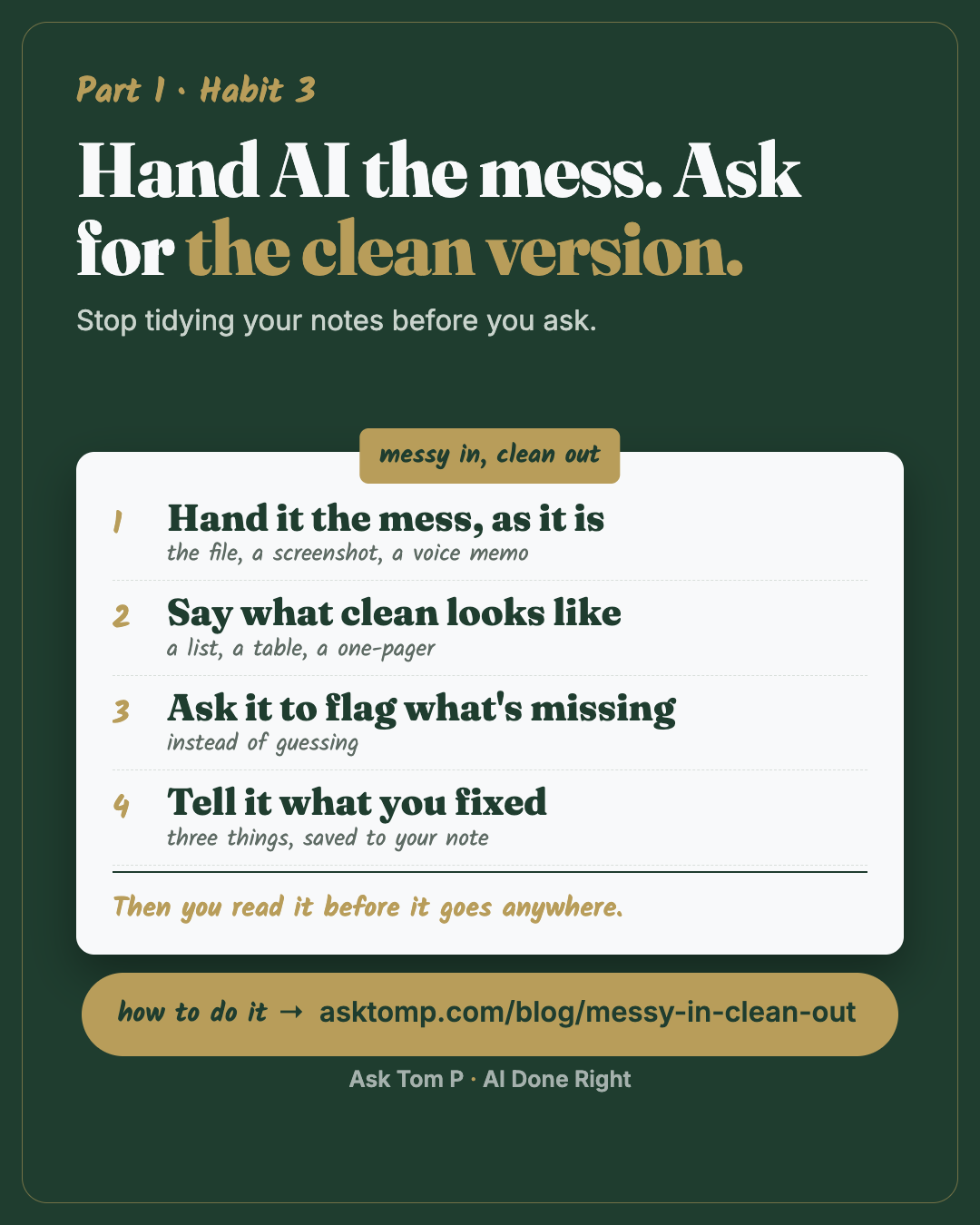
Save this one. It works the same in ChatGPT, Gemini, Copilot or Claude.
Why the mess is the point
Most people clean things up before they ask AI for help. They retype the notes and explain the spreadsheet in a long message. By the time the question is ready, the hour is gone.
That's backwards. Cleaning up the mess is the job AI is good at.
I co-run a renovation company from about 370 miles away. Everything the team and I say to each other runs through Google Meet, Google Chat and our own app, and it's all connected and logged in one place.
The messiest thing I hand AI is a 10 to 15 minute voice dump that is all over the place. Driving, thinking out loud about the business, an idea for the app, a plan for the team. Before AI, that was notes, lots of notes, then a database of ideas I'd clean up over time. I had it all recorded, but it was scattered, hard to track, and hard to keep updated as new ideas kept coming.
Now the dump goes in as it is and a clean plan comes out. Yes, it saves hours. But for me, what's even bigger is headspace. And on the job: fewer "wait, what did we decide?" questions.
That's this habit. Messy in, clean out.
What messy in, clean out looks like
Here are walk notes for a test job, written the way notes really get written: fast, in shorthand, on a phone.
Messy in:
example
walked zz test 9818 w owner. kit cabs ok just paint? counters no. hall bath tile cracked by tub chk subfloor. owner wants lvp whole 1st flr maybe. 2 bdrms paint. front door sticks. gutters?? ask. need pic of panel. owner away til the 20th
The ask: "Turn these notes into a clean list by room. Put open questions at the bottom. Don't add anything I didn't say."
Clean out:
example
ZZ TEST 9818: site walk
- Kitchen: cabinets may just need paint (ask). Counters: unclear, ask.
- Hall bath: cracked tile by the tub. Check the subfloor.
- First floor: owner may want LVP (vinyl plank floors) throughout. Not decided.
- Bedrooms (2): paint.
- Front door: sticks.
Open questions
- Cabinets: paint only?
- Counters: what did "counters no" mean?
- Are the gutters in scope?
- We still need a photo of the panel.
- Owner is away until the 20th. Who answers questions before then?
Nothing new was added. The maybes stayed maybes, and the loose ends became questions someone can answer.
A clean version that quietly fills in blanks is worse than the mess, because now the guess looks like a fact.
Swap the walk notes for whatever your mess is: a sales call you talked through in the car, the notes from a meeting at work, the back of an envelope after a client visit.
When I skipped the last two parts
This October I tried the shortcut. Three pages of handwritten site notes went into the AI, and the result went straight to the person who prices our jobs. It came back as 44 line items. His review took 63 minutes and 69 edits.
The mess going in was fine. What was missing was everything after it. Nobody had said what clean looked like for him, nobody had asked it to flag what it wasn't sure of, and nobody read it before it landed on his desk.
Now the person with the notes answers a few questions before the AI runs, the AI marks what it's not sure of, and every run gets a score. Messy in is still the point. Unread out is the mistake.
The habit in 4 parts
1. Hand it the mess, as it is
Show it, don't type it. If it's easier to show than to explain, show it. Attach the file, paste a screenshot, or talk it out and paste the transcript. The AI sees exactly what you see.
Example: a sales rep, after a long call, talks for ten minutes about what the customer said and asks for the three things they actually need before the next call.
What comes back: the three things, one line each, and one question the rep forgot to ask.
2. Say what clean looks like
"Clean this up" gets you the AI's idea of clean: long and polite. Name the shape: a list by room or by day, a table with the columns you pick, a one-pager, a short message someone can act on.
Example: "Turn this into a table with three columns: item, who owns it, open question."
Clean also means labeled. Early on I handed over a cost figure with no label and it came back as the price. Nine estimates had to be rechecked. The mess can go in as it is; the labels cannot be guessed. One line of what a number is beats a tidy page.
3. Ask it to flag what's missing
Ask the AI to show you the gaps instead of covering them up. It's the habit 1 rule pointed at a file: if it isn't sure, it says so and asks.
Example: "List anything that's unclear, missing or contradicts itself. Ask me instead of guessing."
4. Tell it what you fixed
The first clean version is never the last one. After you read it and fix it, tell it the three things you changed. Then put the ones that will repeat into your six-questions note from habit 1, so next time it starts cleaner.
Example: "You turned two maybes into yeses, you dropped the gutter question, and you spelled the owner's name wrong. Next time: maybes stay maybes, every question goes at the bottom."
Paste this:
Here's your version with my fixes marked. List what I changed, one line each. Then tell me which of those should become a standing rule so it doesn't happen again.
Then you read it before it goes anywhere
Reading it is not re-doing it. It is four quick looks: one line checked against the original; every maybe still a maybe; every name and number matched; every [CHECK] answered or cut. Two minutes.
When to stop trusting a run: if it added a fact that was not in your mess, fix it and tell it (part 4). If it does it twice in one run, start over with a tighter ask. Neat is not the same as right.
Show it a file or a voice dump (Beginner, 10 minutes)
1. Pick one messy thing. Notes, a confusing screen, a long email thread, a voice memo. No client names or money; use a test version.
2. Hand it over. Attach it, paste a screenshot, or paste the transcript (Any tool, below, shows where). Then:
Paste this:
Here's something messy. Tell me in two lines what it is. Then turn it into a clean list, grouped the way that makes the most sense. Don't add anything that isn't in it. Put open questions at the bottom.
3. Ask it to explain one thing. Pick the part that confused you.
Paste this:
Explain [this number / this step / this message] in plain words, like you're telling a new hire. If you can't tell from what I showed you, say so.
4. Read it before you use it. Check one line against the original. If it added something, tell it to take it out.
Turn a voice dump into a plan (Intermediate, 15 minutes)
This is the one I use most. Train of thought in, something my team can use out.
1. Talk for ten minutes. On your phone, in the car, on a walk. Don't organize it. Everything on your mind about the one thing you're planning.
2. Hand it the transcript. Most phones and apps will turn the recording into text (Any tool, below).
Paste this:
This is a voice dump, all over the place on purpose. Turn it into a plan with three parts: what I'm trying to do, the steps in order, and the open questions I still need to answer. Keep my words where you can. Don't add steps I didn't say. Mark anything you weren't sure about with [CHECK].
3. Ask for the version someone else can read.
Paste this:
Now write it as a one-page note for [my team / my boss / my business partner]: what we're doing, why, what's next, what I need from them. Plain words, short lines.
4. Fix every [CHECK]. That's your ten minutes of thinking, spent on the gaps instead of the typing.
Ask it about a spreadsheet (Advanced, 20 minutes)
Almost nobody has time to check a spreadsheet line by line. A schedule is a good one to start with: who is where, which day.
1. Make a test copy. Swap real names, addresses and people for fake ones (ZZ TEST works). Practice on the copy, never the live sheet.
2. Ask what it is and what looks wrong.
Paste this:
In plain words: what does this sheet track, and what should I look at first? Point out anything that looks wrong, like dates that clash, the same person in two places on one day, blanks or duplicates. Tell me the row for each one.
3. Ask what changed. If you have last week's copy, attach both.
Paste this:
Compare these two versions. List what changed, one line each. Don't guess why.
4. Check one thing it found. Go to the row it named and look. If it was right, you saved an hour. If it was wrong, you learned how far to trust it.
Common mistakes
Pasting the real thing. Client names, addresses, phone numbers and money don't belong in a practice run. Use a test copy with fake names, or blur the screenshot. At work, check your company's rules before you upload anything.
Saying "clean this up" and nothing else. You get a long, polite version you didn't ask for. Name the shape.
Trusting it because it looks clean. Neat isn't the same as right. AI can drop a detail or turn a "maybe" into a "yes." Check one line against the original every time.
Expecting it to read what you can't. Bad handwriting, a blurry photo, a 200-page file: if you can't read it, it will guess. Type the three words that matter, or crop to the part you mean, and let it do the rest.
Questions people ask
Can AI read my Excel spreadsheet?
Is it safe to upload work files to AI?
Can AI turn a voice memo into notes?
How do I get AI to stop making things up when it summarizes?
Can I share my screen with AI?
Any tool
This works the same in ChatGPT, Gemini, Copilot or Claude. Only the button names differ.
Attach a file:
- ChatGPT: select + in the message box, then Add photos & files.
- Gemini: select Add files, then Upload, or Add from Drive if your Google account is connected.
- Copilot (free app or work account): select +, then Add images or files.
- Claude: select +, then Add files or photos, or paste a screenshot. For spreadsheets, make sure Code execution and file creation is on (Settings, Capabilities). In the newer settings layout it's called Create and edit files.
Share your screen:
- ChatGPT: in the iPhone or Android app, start a voice chat, open the more-options menu, then choose screen sharing (for eligible subscribers).
- Gemini: on Android, in a Gemini Live chat, tap Turn on screen sharing. Not in the web app.
- Copilot: in a voice chat on Windows or the web, select the screen share arrow (Microsoft 365 Personal, Family or Premium, or a work license).
- Claude: take a screenshot and paste it into the chat.
Checked against each company's help pages on Oct 27, 2026. Buttons move; if yours looks different, search your app's help for "upload files" or "share screen."
Next habit
Check before it goes out. The four checks I run before AI work leaves my desk.
It's a marathon, not a sprint. One step today.